to choose from per event, and the catalogue keeps growing
500portraits
included with the system, and they never expire
0€/month
the software is yours, it isn't rented
Where Do Other Caricature Robots Usually Fall Down At An Event?
Here are the problems other operators keep running into, and how we built a system that won't leave you stranded at any point.
These are the problems other operators run into:
01
Endless Queues
Two or three minutes per portrait makes the wait feel eternal and people lose patience.
02
Messy Line
The robot shakes, drifts out of calibration, or simply runs a poor AI that draws unevenly.
03
Simplistic, Samey Portraits
Only a handful of options, and the drawing comes out so plain that sometimes the guest does not even recognise themselves.
04
They Fall Over On The Venue's Wifi
They depend on the venue's network and don't hold the queue: if it drops, whatever was running is lost.
05
Complicated Software
Setting up your event or waking the robot up needs a degree in computing.
06
Software For One System Only
If you haven't got a compatible computer, they make you buy another one.
This Is How PictiaX® Makes Your Life Easy
Every one of those problems has an answer built into the system. Here's what changes.
01
One Minute Portraits
Around 60 seconds per portrait, and you pick the speed: more detail when it's quiet and more people per hour when the queue builds.
02
A Smarter Line
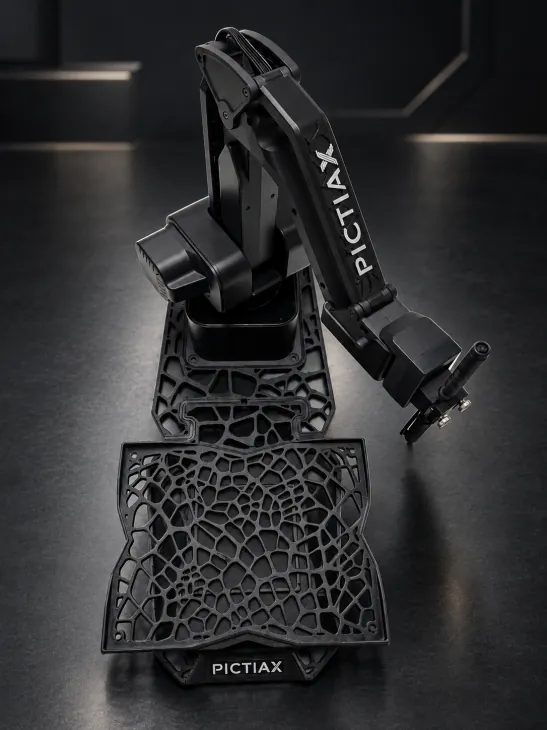
The whole route is worked out before the pen touches the paper, in one continuous line. It doesn't shake and it doesn't drift halfway through the event.
03
Styles That Change
Nine styles to choose from per event, and the catalogue grows with every release. The same robot works for a wedding and for a trade show.
04
You Don't Depend On The Venue's Wifi
You can tether to your phone, and if the network drops for a moment the queue is saved and whatever is pending retries on its own. No portrait is lost.
05
You Don't Need To Be Technical
The event is created in two steps from the browser. No programs to install and no local networks to build.
06
Windows, Mac, Tablet And Phone
The portal is web based and opens on the kit you already have. There's no compulsory computer inside the pack.
WindowsmacOSTabletPhoneThe pack the market treats as standard includes one particular laptop, and its software only runs there. PictiaX® doesn't work that way.
Four steps, and the guest only takes part in the first two.
01
The guest takes the photo
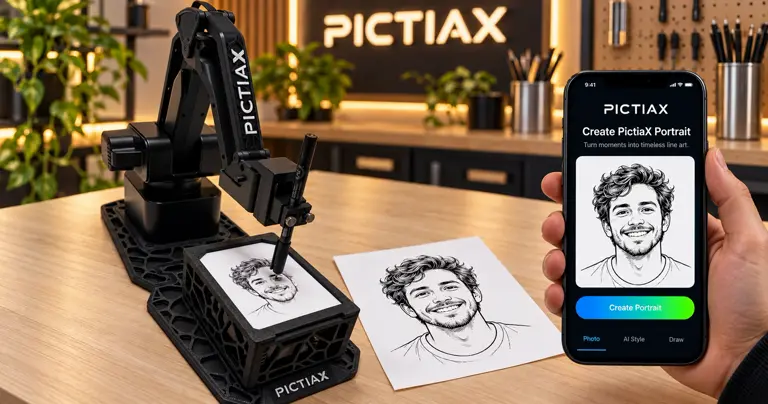
From their own phone. They scan a QR and take the photo without queueing in front of the robot.
02
They choose the style they want
They see how it'll look. On their screen, before sending it off to be drawn. Anyone who doesn't like it retakes it there, not with the paper already in their hand.
03
The robot gets to work
Sent off to be drawn. The caricature is generated instantly and the arm draws it in pen on the paper.
04
They take it away
On paper, and digital if they want. They leave with the original in their hand, and if they ask for it a copy lands in their inbox too.
The Whole System Costs €2,490
Robot, software forever, 500 portraits and both bases. No monthly fee.
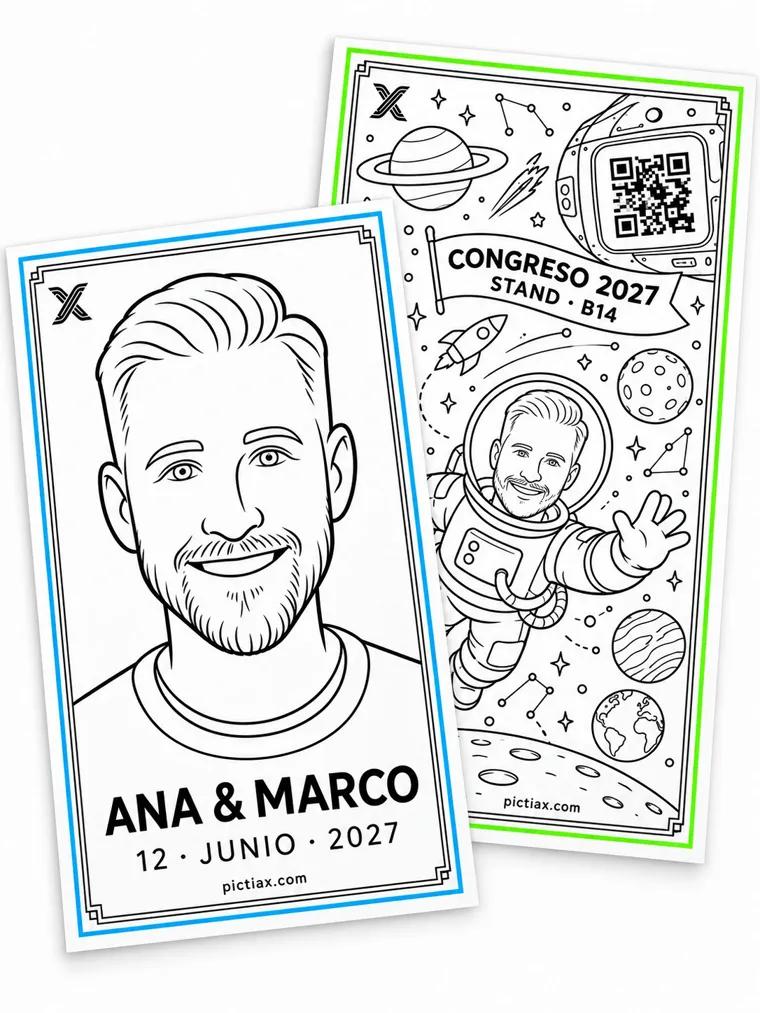
Match the sheet to the event, the client or the campaign. The logo, the colours and the message are printed on the paper, and the robot draws the portrait within that design.
Inside The DrawingThe logo is part of the artwork. It isn't a watermark laid on top.
Custom Paper And BaseThe base of the portrait is personalised per campaign, with your client's message.
Two Lines You Write YourselfNames, a date, a phrase or the campaign line. You type it in the panel and it goes inside the drawing on every portrait at that event. Leave it empty and you just get the caricature.
It Gets Hung Up, Not BinnedA portrait of the guest ends up on the fridge. Merchandise ends up in the bin.
Weddings And BirthdaysYou write two lines in the panel, the couple's names and the date, and the arm draws them on EVERY portrait at that event. Each guest goes home with the keepsake dated.
Whole CampaignsThe campaign's colours, typeface and message in the portrait itself, not just the logo.
A Keepsake People Show OffThe guest photographs it and posts it. The brand travels with them without paying for advertising.
Illustrative example: the logo on both sheets is our own in two colours, because we don't publish any client's. The portraits are genuine PictiaX® output, untouched.
The Same Robot, Three Different Businesses
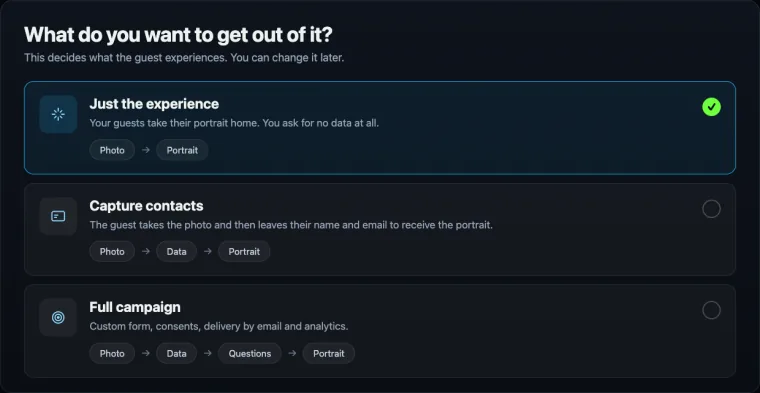
When you create each event you choose what you want out of it, and that changes what the guest experiences and what you walk away with. It's the difference between being paid to entertain and being paid to capture.
You choose it when you create the event and you can change it later.
01
Just the experience
Photo → Portrait
The guest takes the photo and walks off with their portrait. Nothing is asked of them and nothing of theirs is stored.
What event it suits
Weddings, birthdays and private parties, where asking for an email kills the mood.
What you walk away with
What you charge for being there. It's the fastest mode: fewer steps, more portraits an hour.
02
Capture contacts
Photo → Details → Portrait
The guest leaves their name and email to receive the portrait. They leave it because they want the drawing, not because you asked.
What event it suits
Trade shows, conferences and shops. Anywhere your client is there for the contacts.
What you walk away with
A list of people who handed over their details willingly, with their consent, and who remember the brand on top of it.
03
Full campaign
Photo → Details → Questions → Portrait → Report
Your client builds the form they want (company, job title, city) and adds their own questions with their own options. When the event ends, the data is ready to download and they see the numbers.
What event it suits
Agencies, brands and launches. The event isn't the goal, it's where the information gets collected.
What you walk away with
It stops being an attraction and becomes a marketing tool with results you can measure. That's what justifies a different budget.
Why This Changes What You Can Charge
A robot that draws nicely competes for the entertainment budget, which is small and is the first thing cut. A robot that also hands over qualified contacts and a report competes for the marketing budget, which is a different one and pays for itself. The machine is the same: what changes is what you hand your client the next morning.
The guest opts in before taking part and the data belongs to your client, not to us. And for each event you can set a cap on portraits and a PICTICOINS budget: that way one event doesn't eat another one's balance. How the data is handled is in the privacy policy.
See the privacy policy.
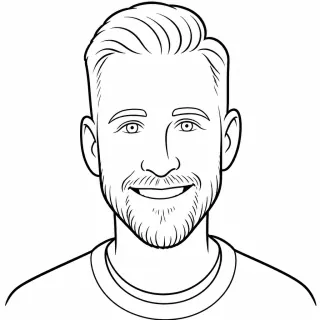
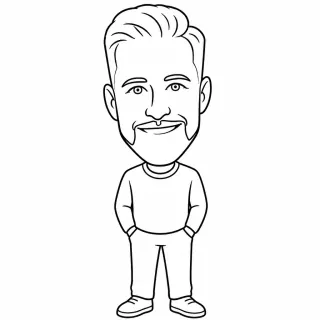
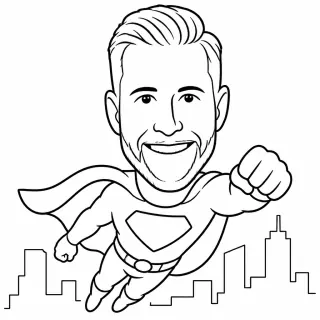
The Guest Picks The Style
The same robot works for a wedding and for a tech trade show, because the style is chosen event by event.
PictiaX® Portrait
Full Body
Superhero
The style catalogue grows with every release of the portal.See All Nine Styles
Questions Before You Decide?
Write to us and we'll come back with the actual figure, not a brochure.
Around 60 seconds, and you pick the speed: more detail when it's quiet and more people per hour when the queue builds.
Do I need to know about robotics to use it?
No. The system arrives assembled and calibrated, plugs into a socket and is run from the browser. Setting up takes about ten minutes.
Does it work on Mac or only on Windows?
On both. The portal is web based and opens on Windows, Mac, tablet or phone. PictiaX® Bridge, the only thing you install, exists for Windows and for macOS.
What happens if the venue's wifi is bad?
You carry on working. Generating the portrait needs a connection, like any system that uses AI, but you don't depend on the venue's wifi: you can tether to your phone, and if the network drops for a moment the queue is saved and whatever is pending retries on its own when it comes back. No portrait is lost and nothing has to be started again.
How much does each portrait cost?
One PICTICOIN per portrait, from €0.10, and it drops with volume. There's no monthly fee: you top up when you work.
Can I use the software with an arm I already have?
Yes. PictiaX® runs on a range of drawing arm models. Write to us with the model and your event volume and we'll send you a quote.
How many portraits can it handle in one night?
The queue sets the limit, not the robot: at 60 seconds per portrait that's about sixty an hour per arm, and one event can run more than one arm.
Now You Know What's Different. Let's Talk About Your Events.
Tell us what events you run and we'll tell you how it fits, what it costs and when you'd have it.