Drawing Robot Software For Events: Why The Arm Is The Easy Part
Drawing robot software is what turns a pen on an arm into something an event client will pay for. Most buyers compare arms, but the arm only executes coordinates: the likeness, the speed, the branding and the data all come from the software. This guide breaks that layer down for operators, integrators and anyone thinking of reselling it.
What Drawing Robot Software Actually Does
Drawing robot software decides what gets drawn and how the pen gets there. Without it, a drawing arm is a plotter waiting for a file.
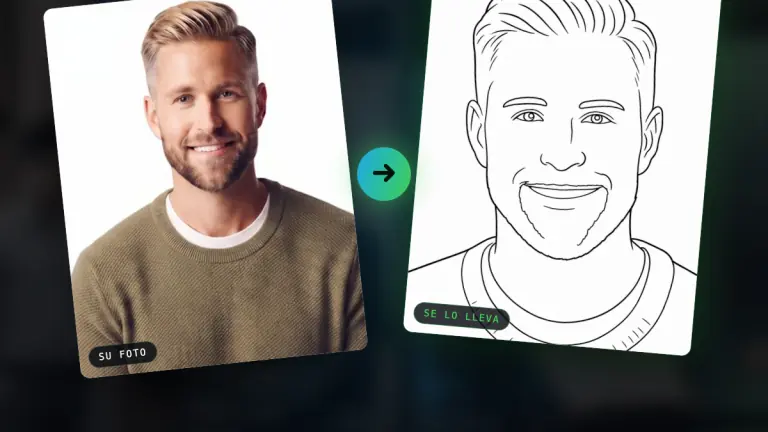
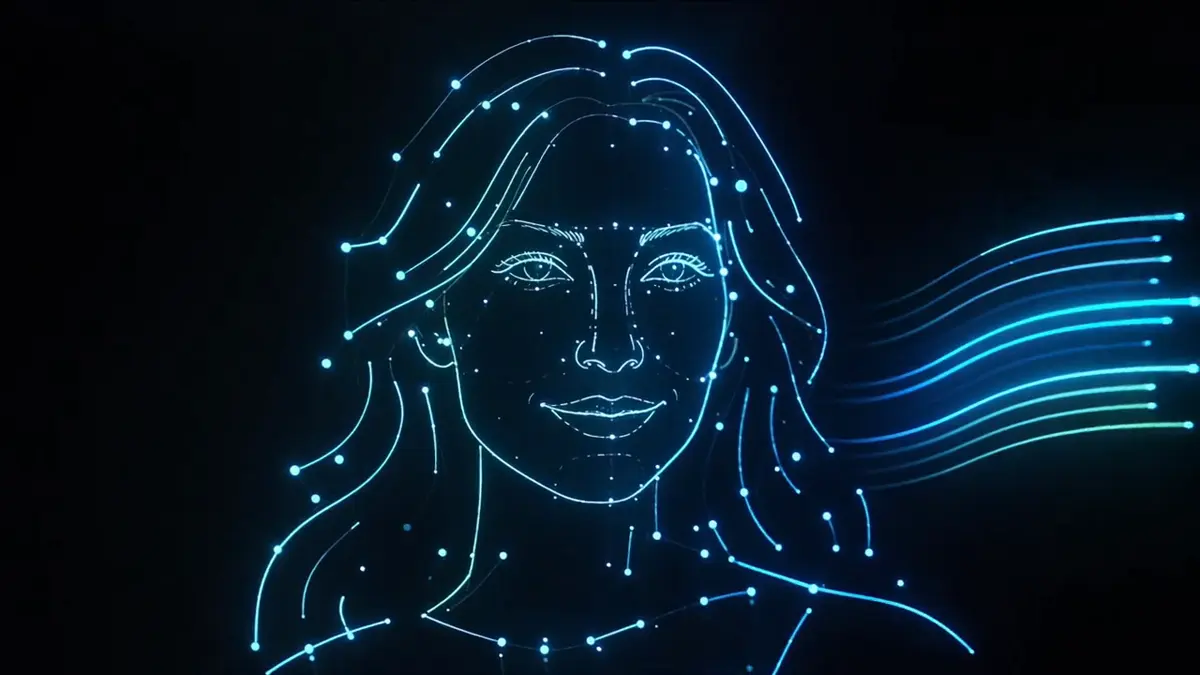
For events, that job splits in two. First the AI reads the guest's photo and turns the face into strokes that keep the likeness in the chosen style. Then the software orders those strokes into a route the arm can follow quickly and cleanly, while the operator runs the queue from a console.
In PictiaX® the pieces are the AI that generates the caricature, the portal where the operator runs the event, and PictiaX® Bridge, the small application on the computer connected to the arm that talks to the robot.
The Layers Of Caricature Booth Software, One By One
Caricature booth software is not one feature but a stack, and each layer fixes a specific failure you would otherwise see at a live event. This is how the layers map out in PictiaX®.
| Layer | What it does | What you see without it |
|---|---|---|
| Face analysis | Reads the features of the face so the drawing keeps the likeness | Guests who do not recognise themselves |
| Line generation | Turns the face into continuous lines, the way a hand draws | Shading with dots and small circles that looks machine made |
| Route planning | Plans the whole path before the pen touches paper | An arm wandering back and forth, and slow portraits |
| Styles | Nine catalogue styles plus custom ones, chosen per event | The same look at a wedding and at a tech trade show |
| Branding | Logo, colours and two lines of text built into the artwork | A logo stuck in a corner, or none at all |
| Queue | Keeps the queue if the network drops and retries pending portraits | Lost portraits and guests asked to start again |
| Lead capture | Forms, consent and an export when the event ends | An attraction with nothing to show the client the next morning |
| Event controls | A cap on portraits and a PICTICOINS budget per event | One event eating another one's balance |
The first three layers decide quality and speed. The last four decide whether you can sell the activation as marketing rather than entertainment. A supplier that is strong on one half and weak on the other leaves you exposed at exactly the events that pay best.
Why The Arm Is The Easy Part
The arm is the easy part because every drawing arm does the same basic job: it moves a pen to coordinates it is given, in G-code. Many manufacturers make capable arms, and the difference between them at an event is small next to the difference in software.
What a guest judges is the portrait: whether it looks like them, how long they waited and whether it carries something worth keeping. All three are decided before a single coordinate reaches the arm.
That is why PictiaX® keeps its communication layer separate from the hardware. The same drawing robot software can drive a range of arm models, budget ones included, without changing manufacturer or kit.
What Event Clients Already Expect From A Drawn Keepsake
Event clients already expect branding, a digital copy and speed from any drawn keepsake, because that is what digital caricaturists sell them today. Your software has to match that before it can beat it.
A digital caricaturist in Florida, for example, lists the extras that justify a higher rate than paper: the company logo printed on each sketch, a colour print, a large monitor showing the drawing in progress and a QR code so guests can download their art. The same artist publishes rates from $200 an hour with a two hour minimum, and up to 10 colour faces an hour.
Read that as a spec sheet for caricature photo booth software. Logo in the artwork, a digital copy for the guest and a show worth watching are the baseline. What software adds on top is throughput: PictiaX® draws a portrait in around 60 seconds, about 50 to 60 an hour per arm, and more arms can run at the same event.
Running Drawing Robot Software On An Arm You Already Own
If you already own a drawing arm, you can run PictiaX® on it rather than buying new hardware. Every drawing arm speaks G-code, and PictiaX® runs on a range of arm models with no change of manufacturer.
The software on its own is quoted on your event volume. After that, each portrait uses one PICTICOIN, from €0.10, with the price dropping as volume grows. There is no monthly fee and the balance never expires, so a quiet month costs nothing.
If you would rather start from a finished system, the complete PictiaX® package costs €3,500 including tax, with the arm, the software with no subscription, two bases and 500 portraits. Both routes are on the buy page, and you can send us your arm model for a quote.
What The Operator Controls From The Portal
The operator controls the whole event from the PictiaX® portal, a website that runs the event, the queue, the styles, the gallery and the contacts. Only PictiaX® Bridge is installed, on the computer that drives the arm.
- Styles per event. Tick which of the nine catalogue styles the guest sees, or write your own in a minute with a name, a theme and a background. Custom styles stay in your account.
- Speed against detail. Drop the detail when the queue builds and raise it when it is quiet.
- Branding. Two lines you type, such as names and a date or a campaign line, drawn inside every portrait at that event.
- Lead capture. LeadFlow™ offers three modes: just the experience, capture contacts, or a full campaign with your client's own questions.
- Budgets. A cap on portraits and a PICTICOINS budget per event, so each job stays within its numbers.
- FutureFlow™. An optional game where the arm writes a playful line with the guest's name next to their caricature, for 1 PICTICOIN, the same as a normal portrait.
None of this needs a technical background. The full list of what to check before you commit is on what matters when buying a caricature robot.
White Label Caricature Software For Distributors And Manufacturers
White label caricature software lets a distributor or manufacturer put its own brand in front of the client while the software does the work underneath. PictiaX® offers this through its distribution programme.
Distributors get buying terms based on volume, cheaper PICTICOINS for their clients and licences they assign themselves. The client base stays theirs: PictiaX® does not sell to a distributor's clients behind their back.
It suits event equipment distributors adding a repeat revenue line, event companies with a network of operators, integrators who want the software on their own hardware, and robotic arm or cabin manufacturers whose customers are left without software to actually work events. Terms are on the distributors page.
Questions To Ask Any Drawing Robot Software Supplier
The quickest way to compare drawing robot software is to ask the same questions of every supplier and insist on numbers, not adjectives.
- Does it run on more than one arm model, or is it tied to a single robot?
- Does it draw continuous lines or shade with dots, and can I see untouched photos next to the drawings?
- What is the real time per portrait, and can I change it during the event?
- Can my client's brand go inside the drawing, not just in a corner?
- What happens to the queue if the venue's network drops?
- Who owns the guest data, is consent asked first, and how long are photos kept?
- Is there a monthly fee, and do credits expire?
- Can I resell it under my own brand?
For PictiaX® the answers are on the site: a range of arm models, continuous line, around 60 seconds, branding inside the artwork, a queue that survives network drops, consent first with the data belonging to your client, no monthly fee and no expiry. If you are weighing up the format itself, our AI caricature booth guide covers costs per guest.
Frequently Asked Questions
What software do drawing robots use at events?
Most drawing arms receive G-code, so the event software sits on top: it turns the guest's photo into lines, plans the pen route and runs the queue. PictiaX® is software of this kind, sold with its own arm or for an arm you already own.
Can I use caricature booth software with my own robot arm?
Yes. PictiaX® runs on a range of drawing arm models without changing manufacturer. Send us the model and your event volume and we will quote the software.
Is there white label caricature software?
Yes. PictiaX® has a distribution programme where the client sees your brand, with distributor pricing, volume PICTICOINS and licences you assign to your own clients.
Does drawing robot software need an internet connection?
Generating the portrait needs a connection, as with any AI system. With PictiaX® you can tether to your phone, and if the network drops the queue is kept and pending portraits retry on their own.
How much does it cost to run per portrait?
Each portrait uses one PICTICOIN, from €0.10, and the price drops with volume. There is no monthly fee and PICTICOINS never expire.